Introduction
Mesh Wi-Fi systems are designed to eliminate dead zones and provide seamless coverage across your home or office. But sometimes, users face frustrating issues like random connection drops, devices disconnecting, or slow speeds on certain nodes.
In this guide, we’ll walk through the common causes of mesh Wi-Fi drops and how to fix them step by step.
1. Check Your Internet Connection
Before blaming your mesh system, confirm that your ISP connection is stable.
- Run a speed test directly from the main router.
- Reboot your modem if needed.
2. Update Firmware on All Nodes
Outdated firmware is a leading cause of instability.
- Open your mesh app (TP-Link Deco, Nest Wi-Fi, Eero, etc.).
- Check for system updates and apply them.
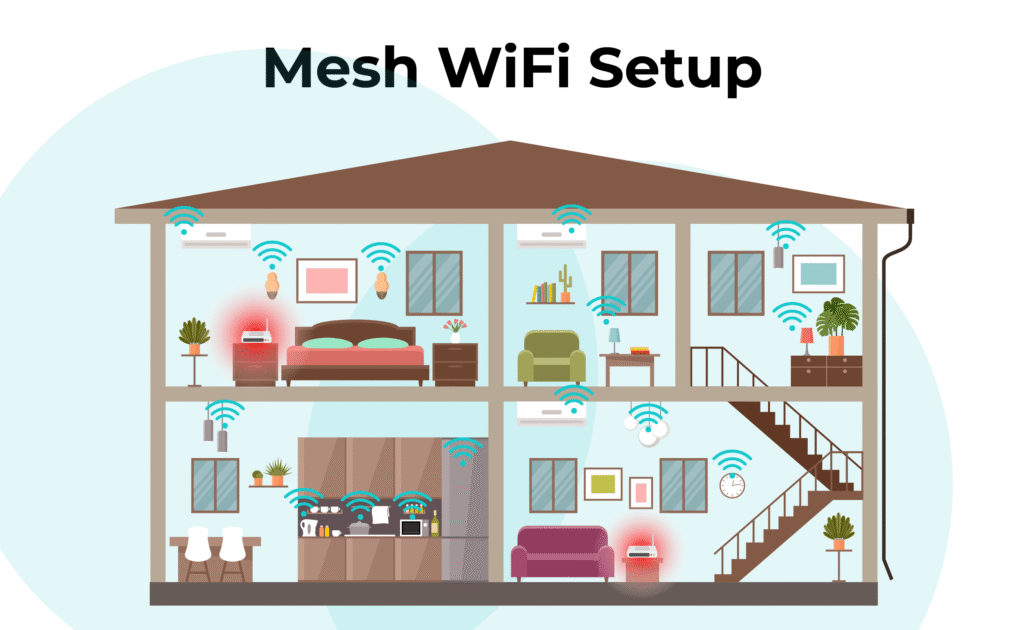
3. Optimize Node Placement
Poor placement causes weak backhaul connections.
- Keep nodes in open spaces, not behind walls or inside cabinets.
- Ideally, nodes should have line-of-sight for better communication.
4. Reduce Wi-Fi Interference
Other electronics can disrupt your mesh network.
- Avoid placing nodes near microwaves, cordless phones, or baby monitors.
- If your mesh system supports it, manually switch channels in the app.
5. Restart the Whole Mesh Network
Sometimes a simple reboot fixes it.
- Power cycle your modem, primary router, and nodes.
- Allow a few minutes for reconnection.
6. Enable Device Roaming
Some devices “stick” to a weak node.
- In your mesh app, enable band steering or fast roaming.
- This forces devices to connect to the best node automatically.
7. Reset & Reconfigure if Problems Persist
If nothing works:
- Factory reset your mesh system.
- Reconfigure it using the latest firmware.
- Consider switching to wired backhaul for stability.
Conclusion
Mesh Wi-Fi is a game-changer for home connectivity, but connection drops can be annoying. By updating firmware, optimizing placement, and reducing interference, you can restore a stable and seamless experience.
👉 If you continue facing issues, it may be time to upgrade your mesh system to a newer model like TP-Link Deco X55, Nest Wi-Fi Pro, or Eero 6+, which offer better stability.